9droid it academy institute

Go to Blogger edit html and find these sentences.Now replace these sentences with your own descriptions.

This is default featured slide 2 title

All Type Computer Laptop Mobile Trainging And Repairing.

All Type Computer Laptop Mobile Trainging And Repairing.

Go to Blogger edit html and find these sentences.Now replace these sentences with your own descriptions.

This is default featured slide 4 title

Go to Blogger edit html and find these sentences.Now replace these sentences with your own descriptions.

This is default featured slide 5 title

Go to Blogger edit html and find these sentences.Now replace these sentences with your own descriptions.

Showing posts with label How to release and renew ip address in window. Show all posts

How to release and renew IP address in Windows

How to release and renew IP address in Windows

On a Windows computer, use the following information to release and renew your IP address:

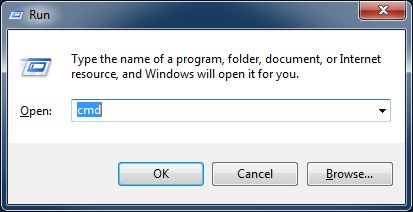
  • Go to "Start > Run" and type "cmd" (no quotes), then select "OK"
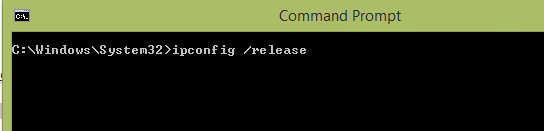
  • Type "ipconfig /release" (no quotes) and press "Enter"
  • Once the prompt returns, type "ipconfig /renew" (no quotes), then hit "Enter,"
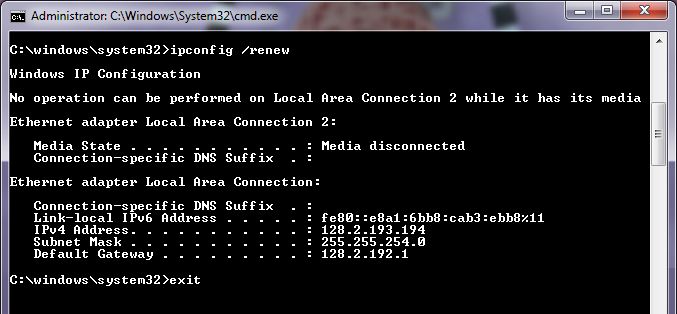
  • Finally, type "exit" (without quotes) then press "Enter" to close the window